
We’ve described how to configure this feature for your entire account in the following article:
https://docs.hetrixtools.com/uptime-percentage-calculation/
In this article, we’ll show you how to configure this feature for each of your Status Pages individually, if you need to have different periods for different pages.
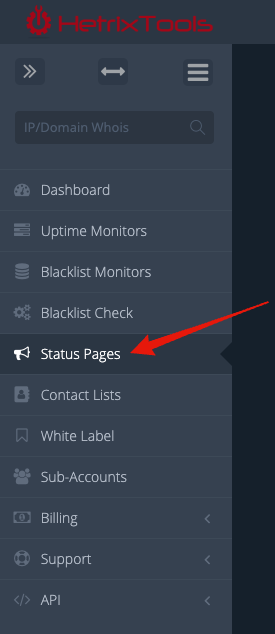
Start by going to your Status Pages dashboard from your client area menu.
Then, from the drop-down ‘Action’ menu, select ‘Uptime Percentage Period’, and from its sub-menu, select the desired option.
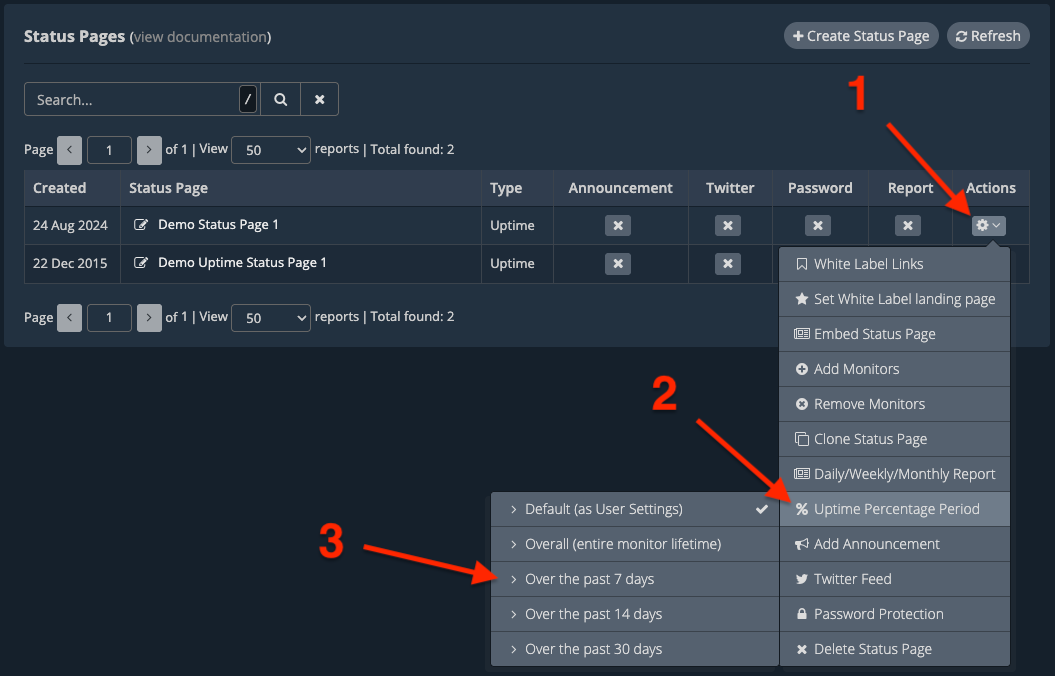
Now, this Status Page will display the uptime percentage for its uptime monitor for the past X days, as per your selection.
Please note that it may take a few minutes for the changes to be reflected on your Status Page after performing this change.