
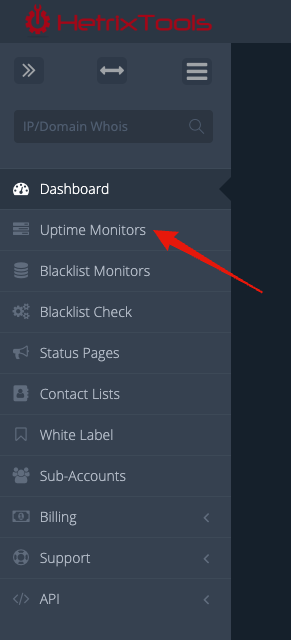
To get started, head to your Uptime Monitors dashboard from your client area menu.
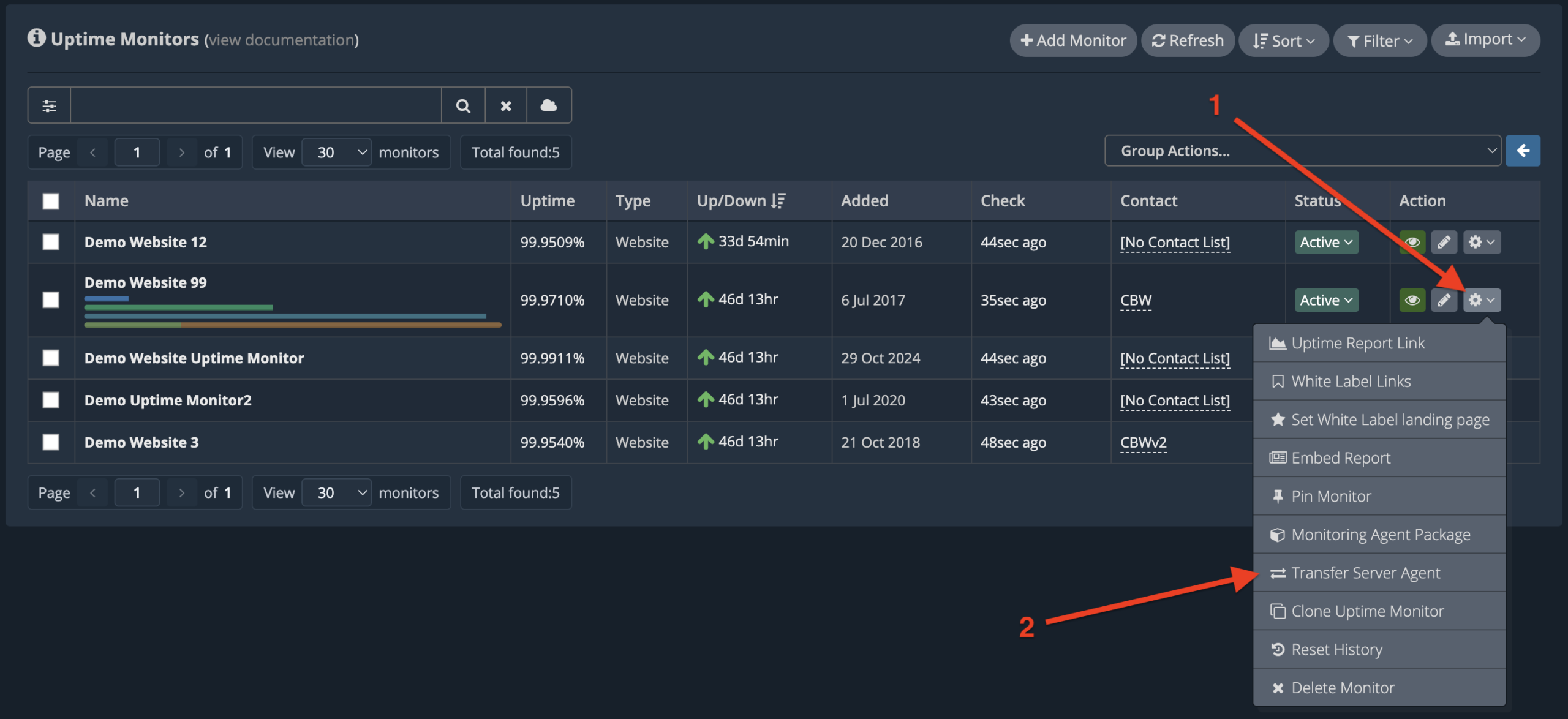
Find the Uptime Monitor with the Server Agent you wish to transfer away, click on its drop-down action menu, and then click on “Transfer Server Agent”.
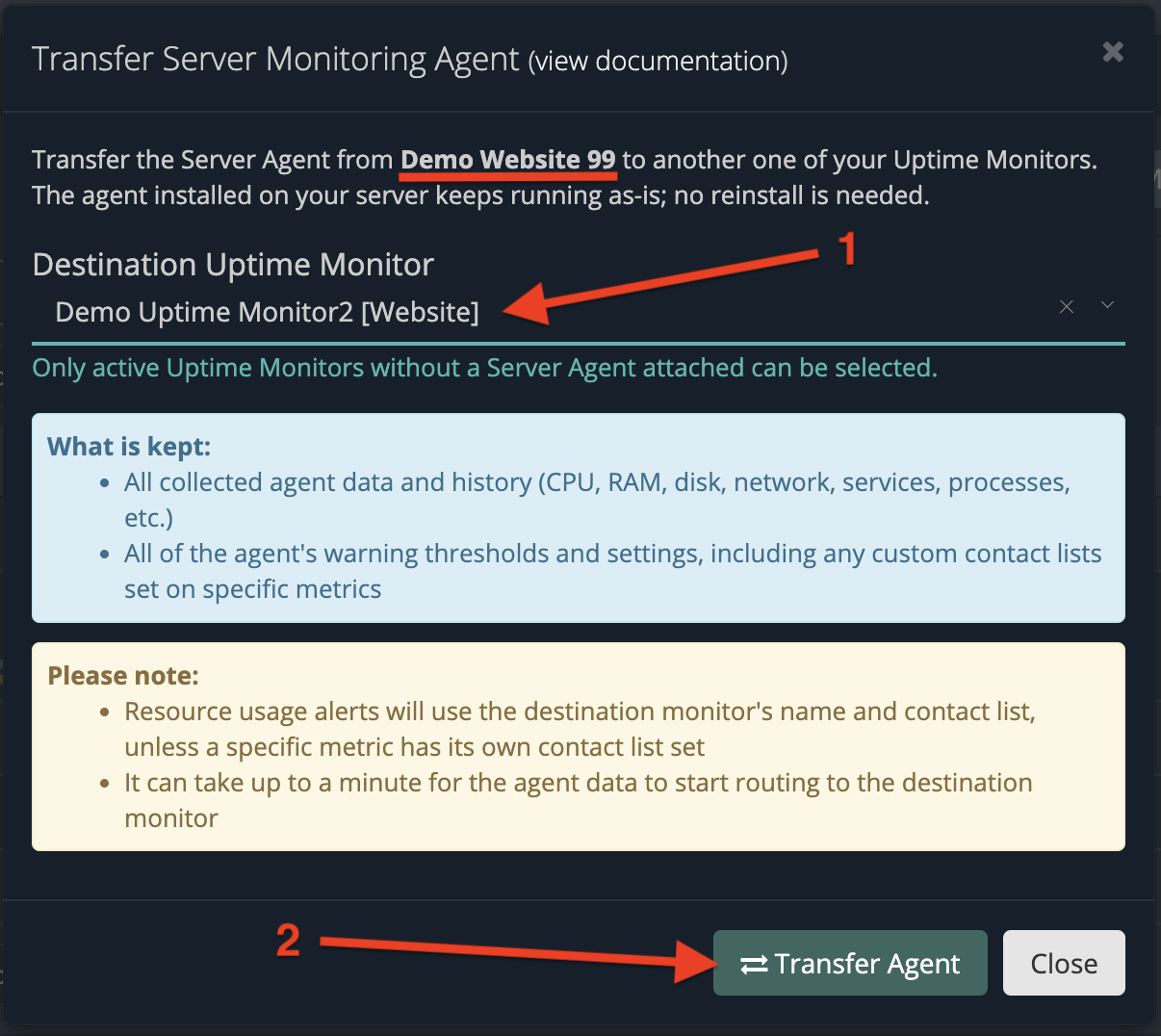
You will be presented with the transfer pop-up modal where you’ll have to select another of your Uptime Monitors to transfer the Server Agent to; then click on the “Transfer Agent” button towards the bottom of the modal.
The transfer is performed instantly. However, it may take up to a minute for the Server Agent data to be routed to your new Uptime Monitor (there may be a 1-minute gap in agent data reporting).
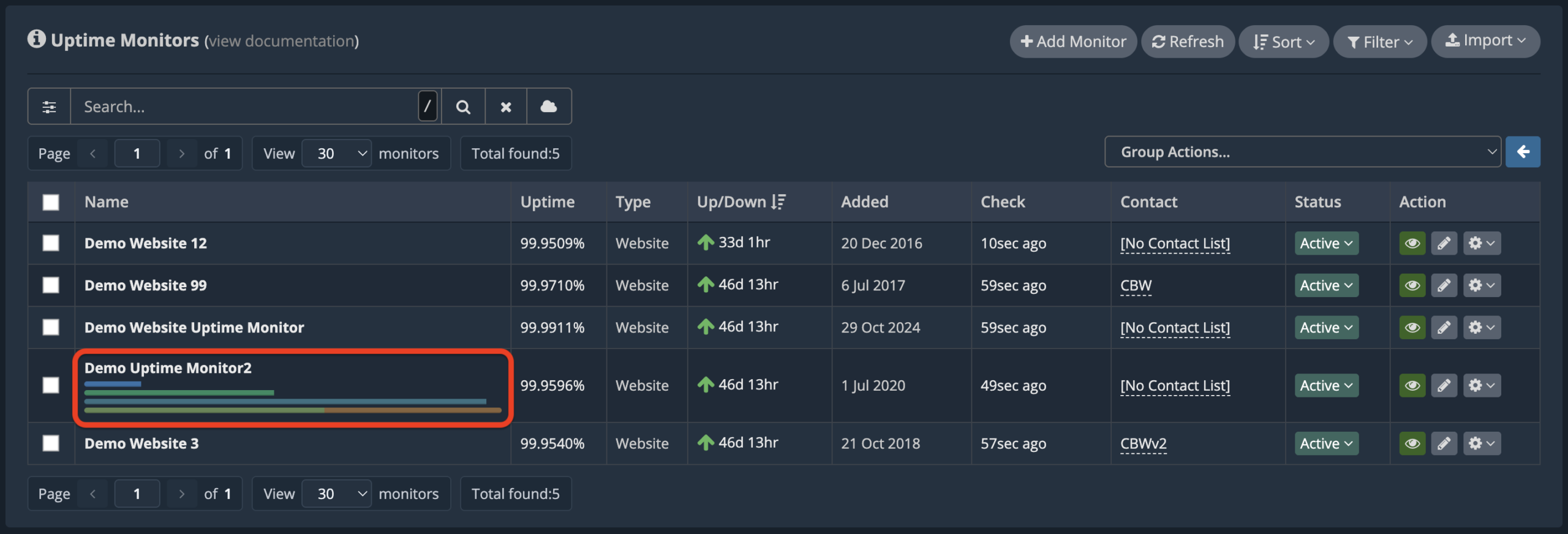
The old Uptime Monitor now has no Server Agent attached to it, so you can proceed with attaching a new agent to it:
https://docs.hetrixtools.com/attach-a-server-monitor-to-any-of-your-uptime-monitors/
If you’re transferring away a Server Agent from a Heartbeat Server Agent Uptime Monitor, where the entire uptime monitoring is based solely on the Server Agent, this Heartbeat Uptime Monitor will be deleted automatically after the transfer.