
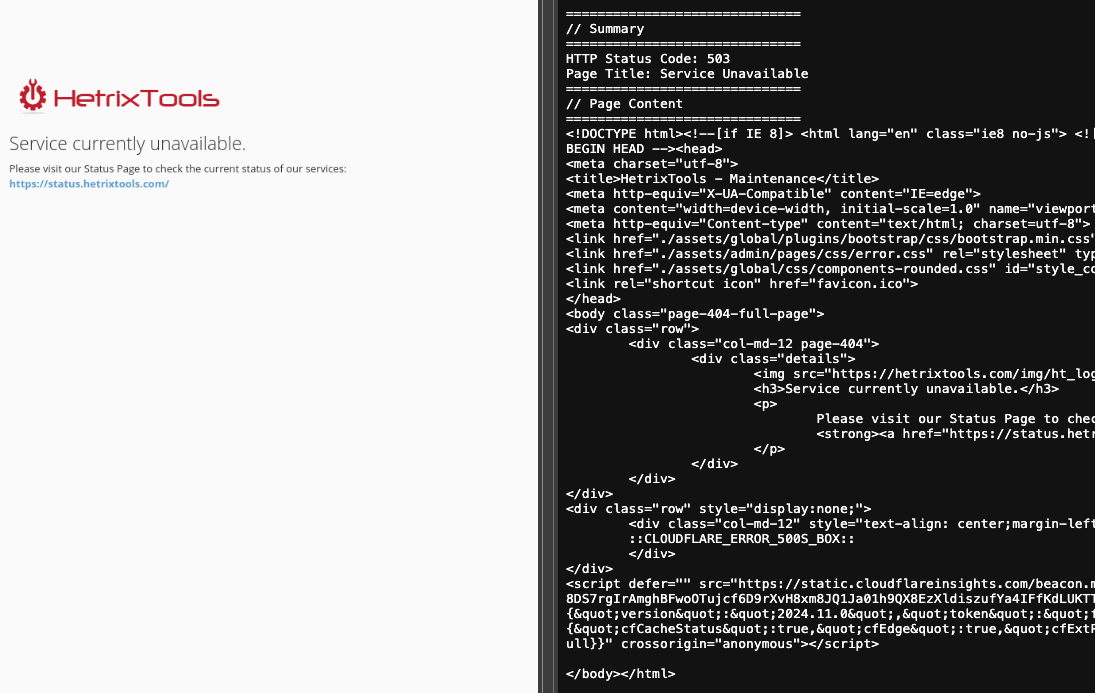
Our Uptime Monitoring system will try to capture a snapshot of your website after it has been detected to be down.
The WebSnapshot is composed of a screenshot and the source code of the website.
Where to find these?
WebSnapshots can be found in two places:
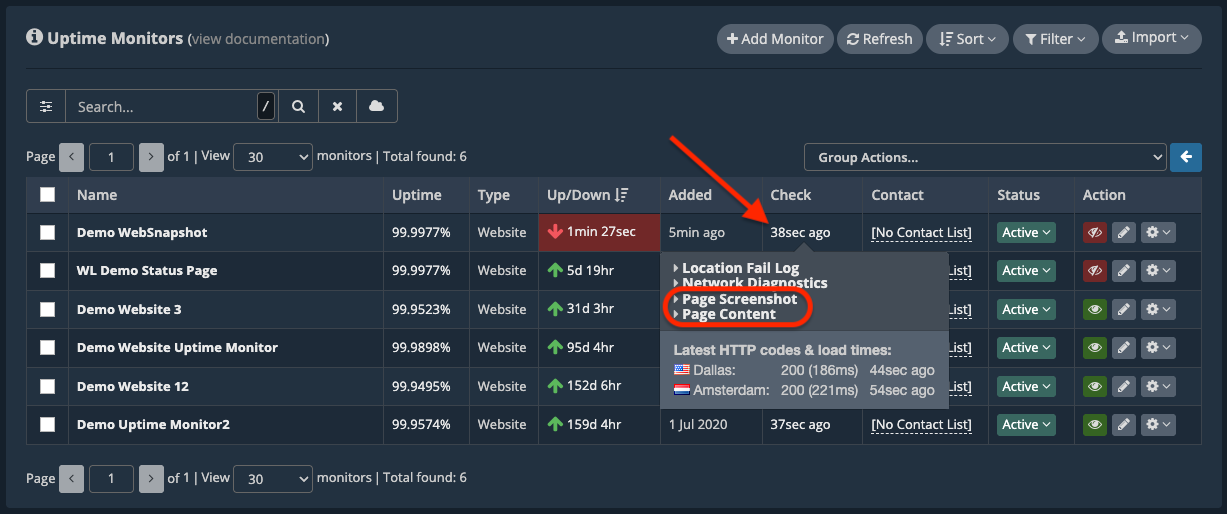
1. In your Uptime Monitors dashboard, whenever a website monitor is down.
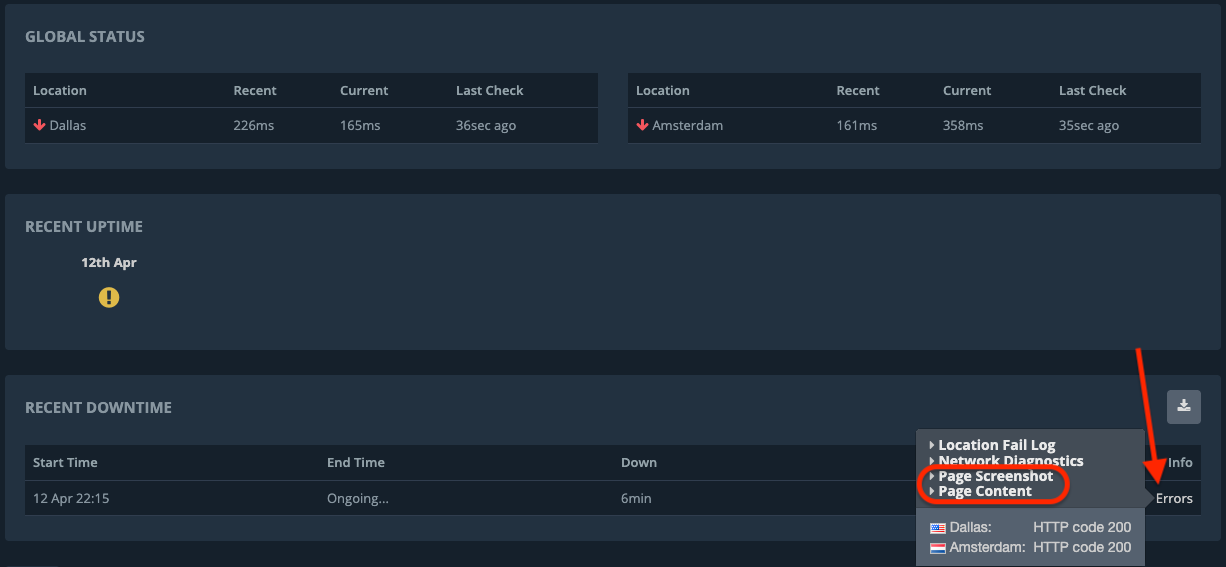
2. In your Uptime Reports under the “Downtimes” section.
When are they collected?
Just like with our Network Diagnostics, the WebSnapshots are collected after an outage has been detected and have no deciding power in the outage detection stage. The WebSnapshot is merely another post-outage diagnostic that you may be able to use to debug the cause of the outage.
When are they not collected?
There will be no WebSnapshots collected under the following scenarios:
- If the Uptime Monitor is not a website uptime monitor.
- If the outage has been caused by a timeout, since there’s nothing to capture.
- If the website uptime monitor goes down/up very frequently.
- If there have already been too many WebSnapshots captured recently for your account.
WebSnapshots are captured on a best-effort basis; we do not guarantee they will be captured on every single outage we detect for your websites.